Tufte CSS Demo
! These are Demo Pages. Tufte CSS provides tools to style web articles using the ideas demonstrated by Edward Tufte’s books and handouts. Tufte’s style is known for its simplicity, extensive use of sidenotes, tight integration of graphics with text, and carefully chosen typography.
This page demonstrates every class and typographic element available in our merged stylesheet. View Source and Inspect Element frequently.
Sections and Headings
Organize your document with an article element inside your body tag. Inside that, use section tags around each logical grouping of text and headings.
Tufte CSS uses h1 for the document title, p with class subtitle for the document subtitle, h2 for section headings, and h3 for low-level headings. More specific headings are not supported:
[It is] notable that the Feynman lectures (3 volumes) write about all of physics in 1800 pages, using only 2 levels of hierarchical headings: chapters and A-level heads in the text. It also uses the methodology of sentences which then cumulate sequentially into paragraphs, rather than the grunts of bullet points.
As a bonus, this excerpt regarding the use of headings provides an example of an epigraph. Use the epigraph shortcode with an attribution parameter to add a quoted passage with a citation.
In his later books, Tufte starts each section with a bit of vertical space, a non-indented paragraph, and the first few words of the sentence set in small caps. For this we use a span with the class newthought, as demonstrated at the beginning of this paragraph.See Beautiful Evidence for the full treatment.
Low-Level Heading
This is an h3 heading, used for sub-sections within a topic. Keep heading levels consistent and avoid going deeper.
Text
Although paper handouts obviously have a pure white background, the web is better served by the use of slightly off-white and off-black colors. Tufte CSS uses #fffff8 and #111111 because they are nearly indistinguishable from their ‘pure’ cousins, but dial down the harsh contrast.
In print, Tufte has used the proprietary Monotype BemboSee Tufte’s comment in the Tufte book fonts thread.
font. A similar effect is achieved in digital formats with the now open-source ET Book, which Tufte CSS supplies with a @font-face reference. In case ET Book somehow doesn’t work, Tufte CSS shifts gracefully to other serif fonts like Palatino and Georgia.
Also notice how Tufte CSS includes separate font files for bold (strong) and italic (emphasis), instead of relying on the browser to mechanically transform the text. This is typographic best practice.
If you prefer sans-serifs, use the sans class. It relies on Gill Sans, Tufte’s sans-serif font of choice.
Links in Tufte CSS match the body text in color and do not change on mouseover or when clicked. Here is a dummy example that goes nowhere. These links are underlined, since this is the most widely recognized indicator of clickable text. Blue text, while also a widely recognizable clickable-text indicator, is crass and distracting. Luckily, it is also rendered unnecessary by the use of underlining.
New Thought
New thought spans are used to begin sections with small-caps text. They create a visual break similar to chapter openings in Tufte’s books. Use them at the start of a paragraph for emphasis.
Another example of the new thought class demonstrating how it creates a typographic flourish at the beginning of a section.
Epigraphs
The English language . . . becomes ugly and inaccurate because our thoughts are foolish, but the slovenliness of our language makes it easier for us to have foolish thoughts.
For a successful technology, reality must take precedence over public relations, for Nature cannot be fooled.
Epigraphs are modeled after chapter epigraphs in Tufte’s books. Use the epigraph shortcode with an attribution parameter to add a quoted passage with a citation in the margin.
Sidenotes: Footnotes and Marginal Notes
One of the most distinctive features of Tufte’s style is his extensive use of sidenotes.This is a sidenote. Sidenotes are like footnotes, except they don’t force the reader to jump their eye to the bottom of the page, but instead display off to the side in the margin.
Sidenotes are a great example of the web not being like print. On sufficiently large viewports, Tufte CSS uses the margin for sidenotes, margin notes, and small figures. On smaller viewports, elements that would go in the margin are hidden until the user toggles them into view.
If you want a sidenote without footnote-style numberings, then you want a margin note. Use the marginnote shortcode: This is a margin note. Notice there isn’t a number preceding the note.
On large screens, a margin note is just a sidenote that omits the reference number. This lessens the distracting effect taking away from the flow of the main text, but can increase the cognitive load of matching a margin note to its referent text.
Sidenotes consist of two elements: a superscript reference number that goes inline with the text, and a sidenote with content. In Hugo, use the sidenote shortcode to create them — it handles the checkbox toggle and numbering automatically:
Text before.{{< sidenote >}}This is a sidenote.{{< /sidenote >}} Text after.
Margin notes are created with the marginnote shortcode. They omit the reference number and use the ⊕ symbol as a toggle:
Text before.{{< marginnote >}}This is a margin note.{{< /marginnote >}} Text after.
For optimal readability of sidenotes, enclose the main text in the section tag.
Figures
Tufte emphasizes tight integration of graphics with text. Data, graphs, and figures are kept with the text that discusses them. Use standard markdown image syntax — the render hook wraps images in <figure> elements automatically.
Here is a figure with a caption (use the markdown title attribute for captions):
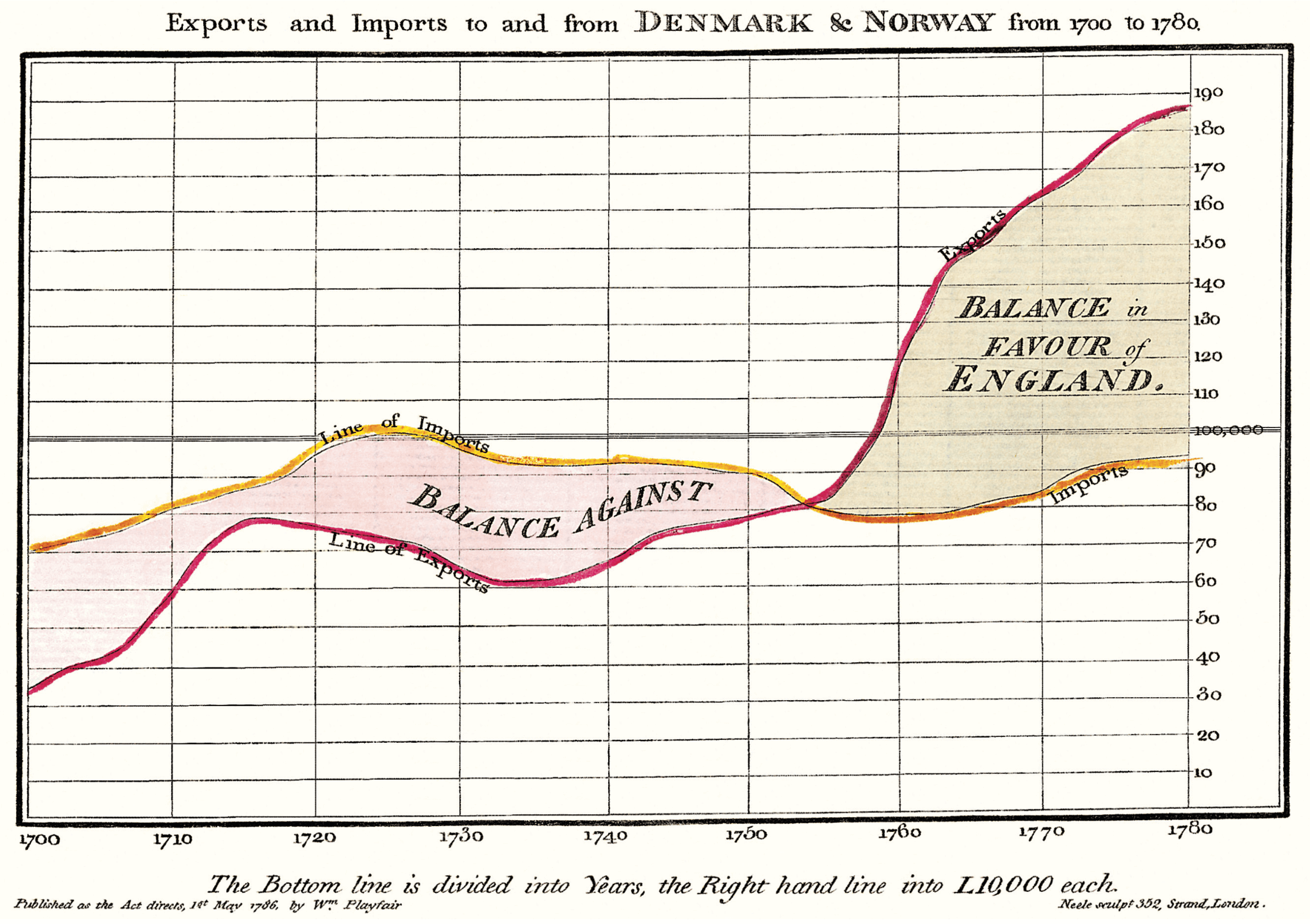
But tight integration of graphics with text is central to Tufte’s work even when those graphics are ancillary to the main body of a text. A margin figure may be most appropriate in many of those cases.
For a full-width figure, add the .fullwidth class via markdown attributes:
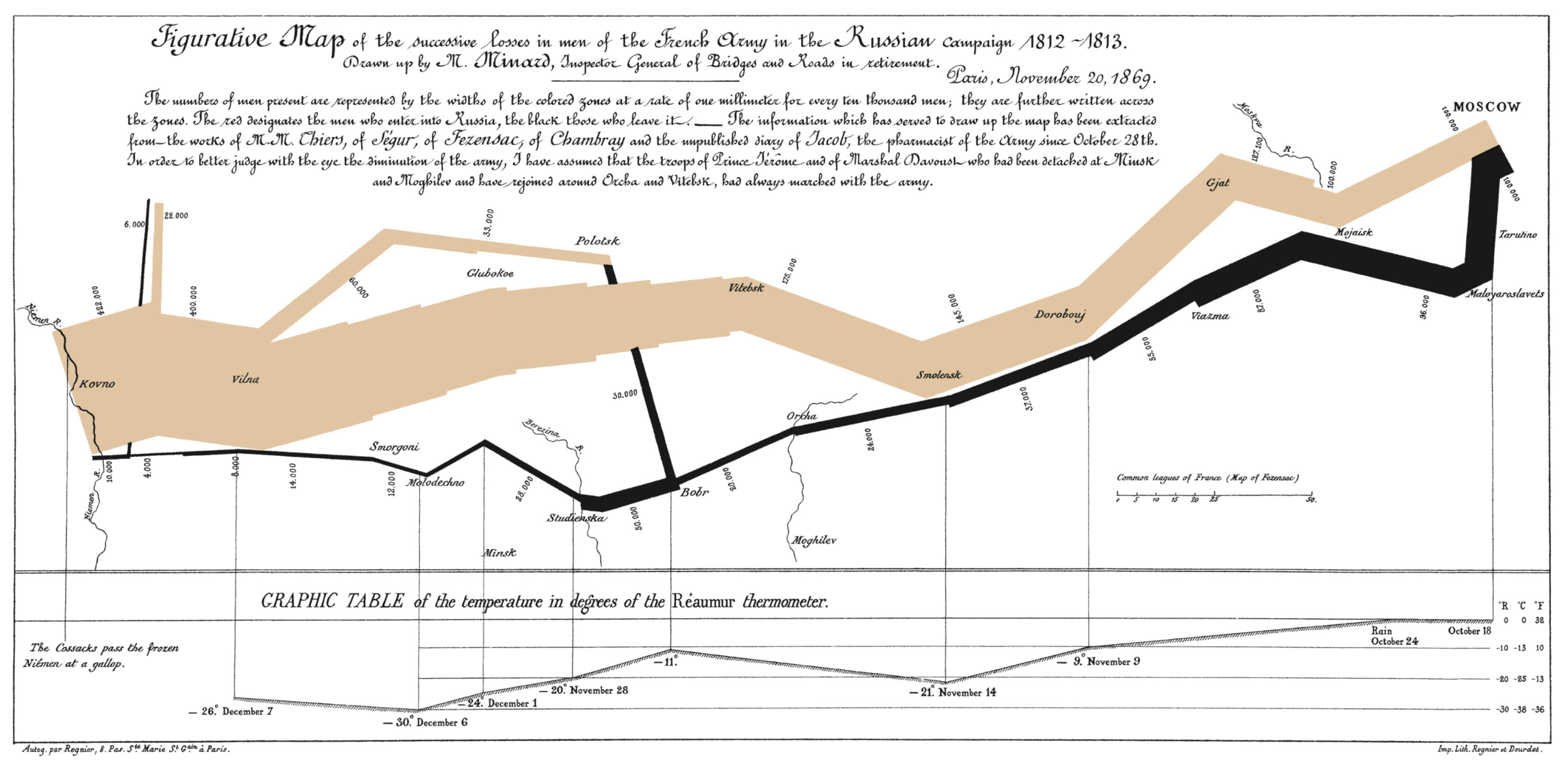
For embedded content like videos, use the iframe shortcode:
Code
Technical jargon, programming language terms, and code samples are denoted with the code class. Code needs to be monospace for formatting purposes and to aid in code analysis.
Extended code examples should live in a fenced code block:
;; Some code examples in Clojure. This is a comment.

;; applying a function to every item in the collection
(map tufte-css blog-posts)

;; side-effecty loop (unformatted, causing text overflow)
(doseq [[[a b] [c d]] (map list
                     (sorted-map :1 1 :2 2)
                     (sorted-map :3 3 :4 4))]
  (prn (* b d)))

;; that same side-effecty loop, formatted
(doseq [[[a b] [c d]] (map list
                           (sorted-map :1 1 :2 2)
                           (sorted-map :3 3 :4 4))]
  (prn (* b d)))
Inline code looks like this: use the code class denoted with backticks.
Margin Figures (Side Images)
Tufte CSS places small figures in the margin alongside the text that references them. Use the marginfigure shortcode: 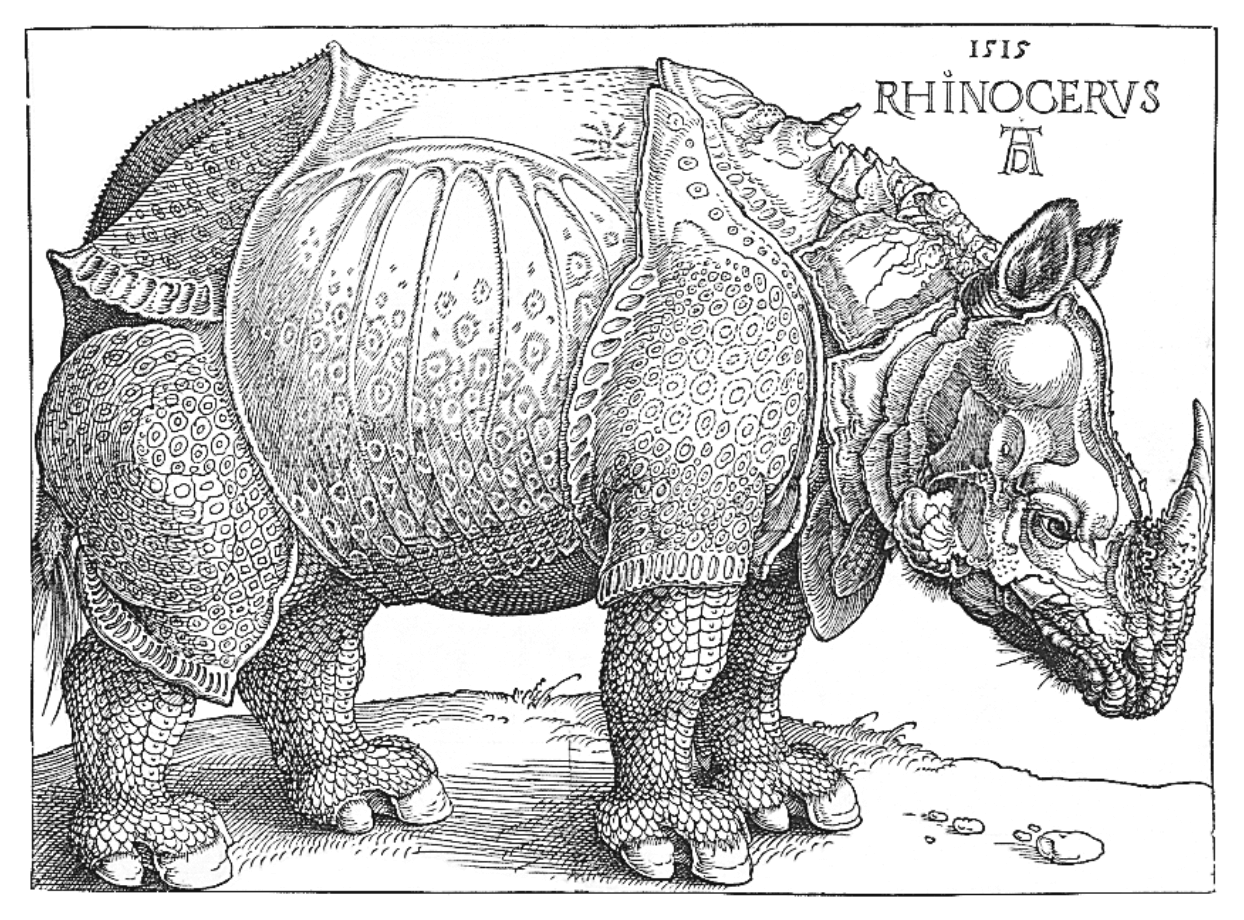 F.J. Cole, The History of Albrecht Dürer's Rhinoceros, 1953.
But tight integration of graphics with text is central to Tufte’s work even when those graphics are ancillary to the main body of a text. In many of those cases, a margin figure may be most appropriate.
F.J. Cole, The History of Albrecht Dürer's Rhinoceros, 1953.
But tight integration of graphics with text is central to Tufte’s work even when those graphics are ancillary to the main body of a text. In many of those cases, a margin figure may be most appropriate.
You can also place images in the margin using the figure shortcode with a margin parameter. The margin note appears alongside the image.
Tables
Tables in Tufte CSS are styled to fit within the main column. They use clean, minimal borders. The render hook wraps tables in a .table-wrapper div for overflow handling:
| Year | Event | Impact |
|---|---|---|
| 1700 | Early trade routes | Denmark-Norway exports begin |
| 1750 | Peak trade period | Maximum import-export activity |
| 1780 | Trade decline | Reduced maritime commerce |
Tables can also be made full-width using the .fullwidth class:
| Technique | Description | Tufte Usage |
|---|---|---|
| Sidenotes | Margin annotations | Extensive, primary feature |
| Margin notes | Unnumbered margin text | Supporting information |
| Epigraphs | Chapter-opening quotes | Section introductions |
| Small caps | New thought openings | Section beginnings |
| Tight figures | Graphics with text | Data visualization |
Figcaptions
Figures can include captions using the markdown title syntax :
Full-width figures with captions:
Fullwidth Content
The fullwidth shortcode can be used for content that needs to span the full width of the viewport:
fullwidth container. It stretches to the full available width, useful for tables, wide images, or other content that shouldn’t be constrained to the main column.Summary
`newthought`- Small-caps text for section openings.
`sidenote` / `marginnote`- Margin content triggered by toggling checkboxes.
`margin-toggle`- Hidden checkboxes and labels that control sidenote visibility.
`sidenote-number`- Auto-numbered sidenote references.
`epigraph`- Chapter-style quoted passages.
`fullwidth`- Content that spans beyond the main column.
`iframe-wrapper`- Responsive wrapper for embedded iframes.
`sans`- Gill Sans sans-serif text.
`subtitle`- Italic subtitle text beneath headings.
`meta-line`- Dimmed metadata lines (dates, tags).
`status-badge`- Uppercase bordered status labels.
`tag`- Dimmed inline tag text.
`plain-list` / `entry-list`- Unstyled list layouts for links and entries.
`meta-date`- Dimmed date text beside post titles.
`content-image-wrap`- Post header images with 16:9 aspect ratio.
`content-image-placeholder`- Fallback placeholder for missing images.
`page-nav`- Previous/next navigation between posts.
`page-header` / `hero`- Consistent page header spacing.
`marginfigure`- Side images placed in the margin.